
Sidebar
Table of Contents
Autonomous Prototype Internal Combustion Engine using Hybrid Technology


At the Shell Eco-marathon event, the organizers will provide you with the following telemetry equipment:
Equipment
Joulemeter
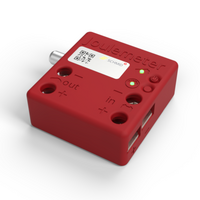
All vehicles are required to install a Joulemeter.
See also 2027 Official Rules Chapter I Article 56: Joulemeters
Joulemeter for supercapacitor
⇒ detailed documentation
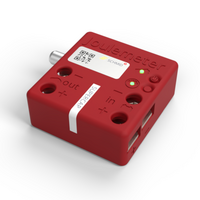
All vehicles that use a supercapacitor are required to install a second Joulemeter.
See also 2027 Official Rules Chapter I Article 63: Vehicles using Hybrid Technology, and Article 65: Hydrogen Fuel Cell vehicles
Liquid Flow Meter
⇒ detailed LFM documentation
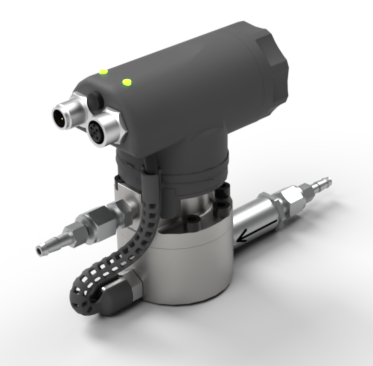
All Internal Combustion Engine vehicles are required to install a liquid flowmeter.
See also 2027 Official Rules Chapter I Article 62 i

Charging equipment
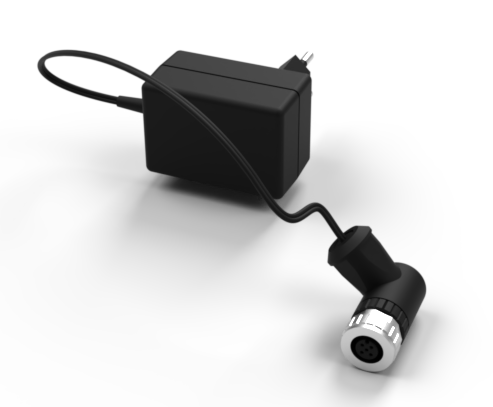
This device is used to charge the sensors.
If charging is done with the charging adapter this device is not needed.
Equipment for Autonomous vehicles
On Board Computer (OBC)
⇒ detailed documentation
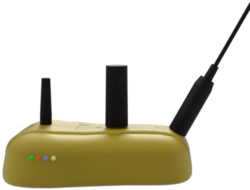
All autonomous vehicles may be required to install an OBC.
See also 2027 Official Rules Chapter IV Article 413: Telemetry
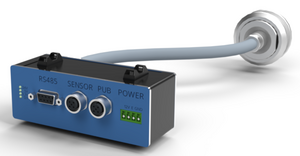
All autonomous vehicles may be required to install a BB.
See also 2027 Official Rules Chapter IV Article 413: Telemetry
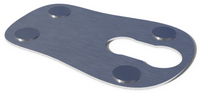
Holding plate
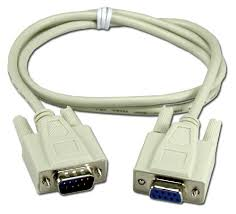
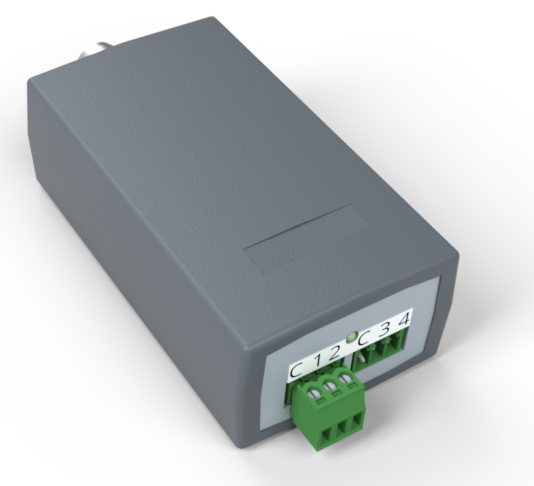
Autonomous vehicles must communicate their autonomous driving state to this sensor.
See also 2027 Official Rules Chapter IV Article 412: Communication of Autonomous State and 413: telemetry
Preparation
Prepare an area in your vehicle for each of the telemetry components.
Refer to the videos below and the installation section to find a suitable place for the devices.
Prepare for mounting an OBC on autonomous vehicles
A 31-35 mm hole in the vehicle body must be drilled before shipping your vehicle. There should be clearance of an equal size to the holding plate (153 x 100 x 60 mm) inside the vehicle’s body to allow for installation.  |
|
| To avoid transmission issues or obstruction of antennae, the selected area must have a clear view to the sky within 90° to all sides. | 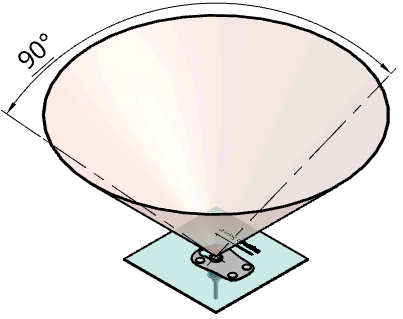 |
| The hole should be drilled such that, once mounted, the On-Board Computer Holding Plate will be in a horizontal position, +/- 20°. Support can be added between holding plate and the car body to bring the OBC to a horizontal position. Support the whole lenght and width to prevent the holding plate from bending. | 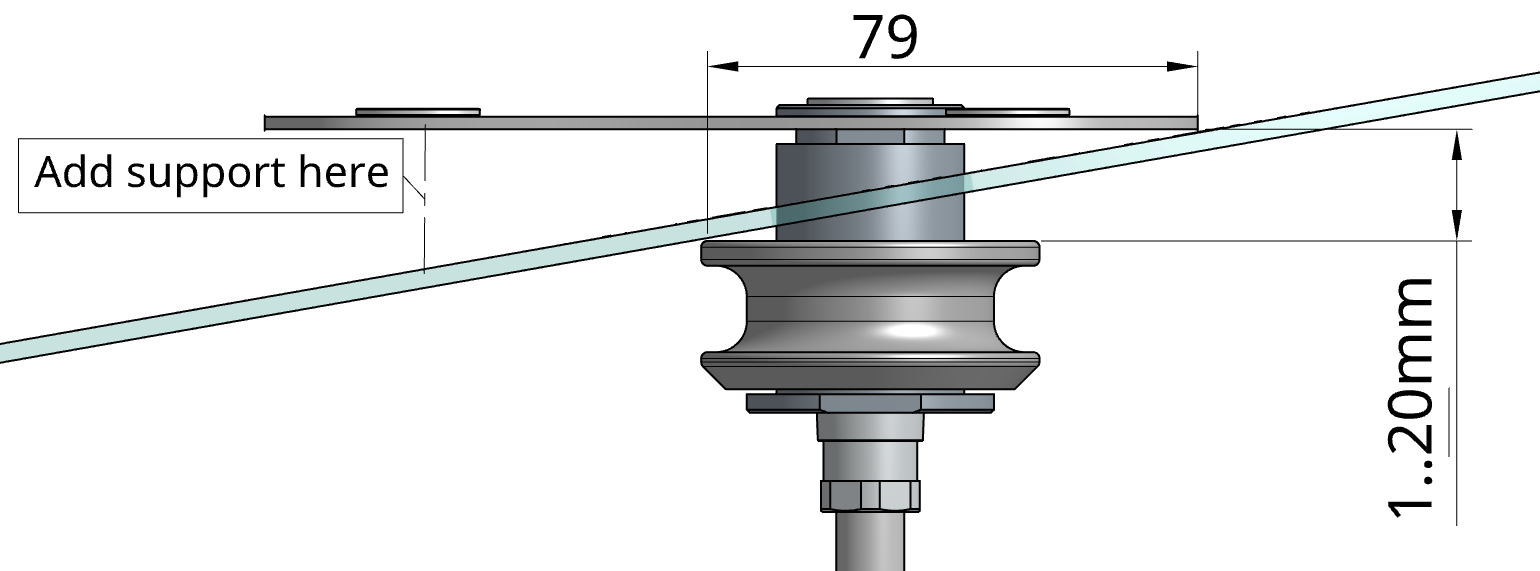 |
Prototype vehicles can optionally place the OBC inside the car if the car design does not allow for an OBC to be mounted on top. A GPS antenna (approx. 50x50x20mm) will be placed on the outside of the car instead of the OBC. Contact the telemetry team if you want to use this option.
Fill out the self inspection
Before you can collect the bag containing all the sensors and charging equipment, you must fill out the corresponding self inspection checks.
Watch the following video to learn how to answer the questions correctly:
Note that this video may be an updated version of the one you have already watched.
Installation at the event
Back Bone
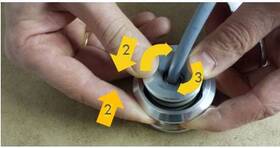
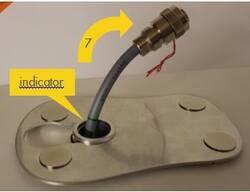
- Ensure the spring sits on the shaft.
- Pull the torus over the shaft.
- Turn the torus to lock it so it cannot slide back.
- Push the shaft through the hole in the car roof.
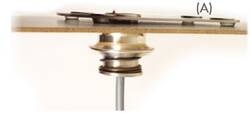
- Unlock the torus and let it gently slide back until it looks like (A).
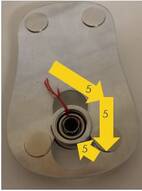
- Mount the Backbone inside the car such that the cable can be pulled at least 10cm (4“) through the shaft (indicator visible) to the outside of the vehicle. This leaves about 30cm (1ft) of cable and the flexibility to mount the Backbone in a convenient location inside the vehicle.
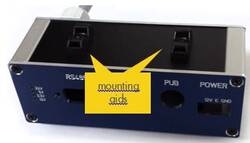
- There are two zip tie mounting aids on the bottom of the Backbone. They can also be mounted on the top.
- Insulate the hole in the vehicle body with tape.
Caution! The connector box is not waterproof and must be kept dry.
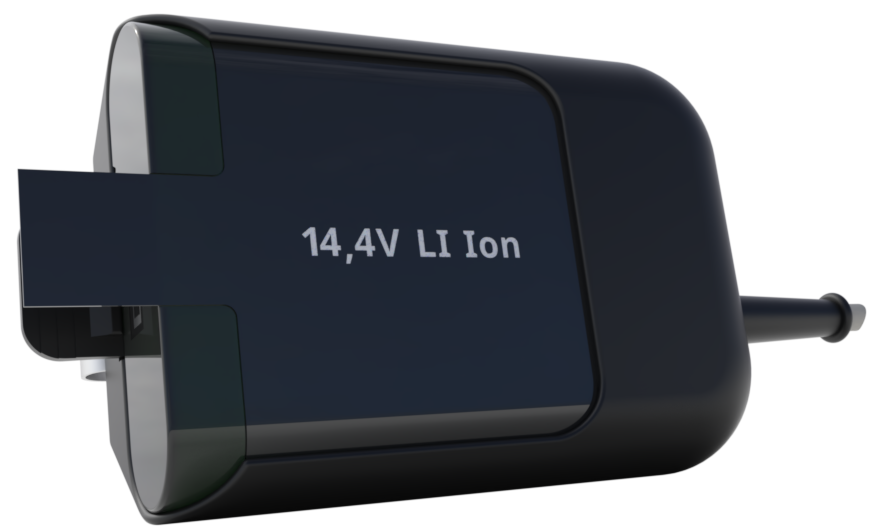
Belt Pack with Battery
- Install beltpack so that the battery can be easily removed. (no tape)
- Install beltpack so that the battery is inserted sideways or up.
- Connect the power cable to the Back Bone (BB).
- Apply a zip tie as strain relief for the power cable near the back bone.
Switch Box
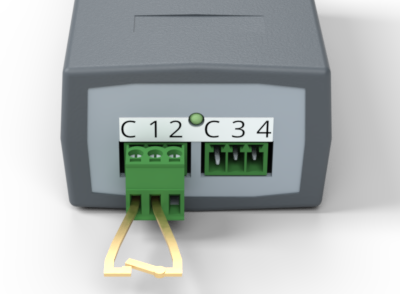 Two terminals (“C” and “1”) of the switch box must be connected to a potential-free contact (e.g., relay output).
This contact must be closed when the vehicle is driven autonomously, and it must be open when driven manually.
No voltage or pull-up resistor should be connected to the switch box.
If the resistance is below 1kOhm the state is recognised as autonomous.
If the resistance is above 100kOhm the state is recognised as manually driven.
If the resistance is between 1kOhm and 100kOhm the state is not defined.
Two terminals (“C” and “1”) of the switch box must be connected to a potential-free contact (e.g., relay output).
This contact must be closed when the vehicle is driven autonomously, and it must be open when driven manually.
No voltage or pull-up resistor should be connected to the switch box.
If the resistance is below 1kOhm the state is recognised as autonomous.
If the resistance is above 100kOhm the state is recognised as manually driven.
If the resistance is between 1kOhm and 100kOhm the state is not defined.
Joulemeter
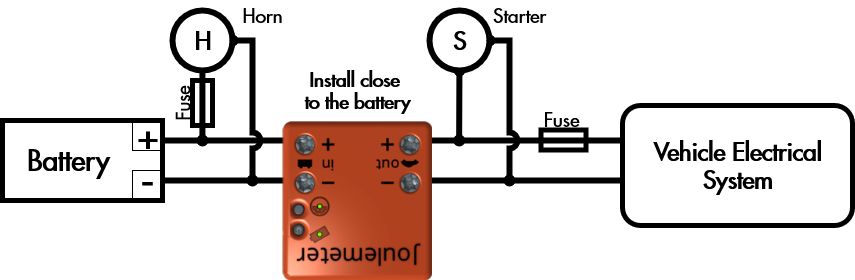
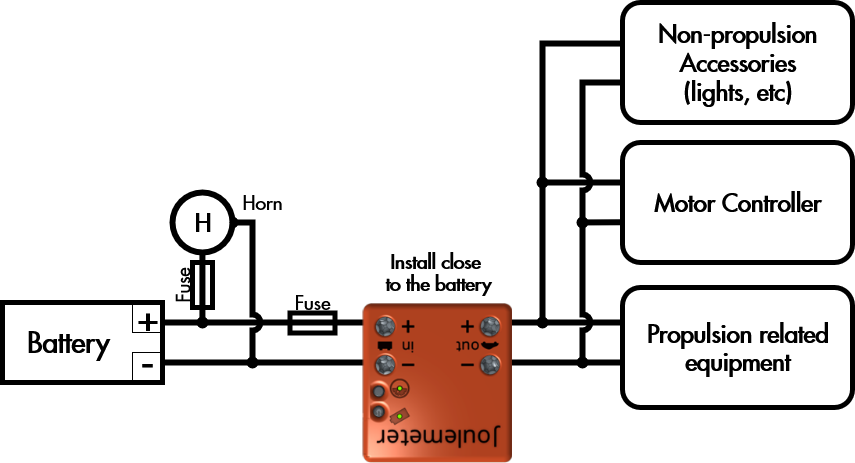
- The Joulemeter must be installed between the vehicle’s accessory battery and the vehicle’s electrical system.
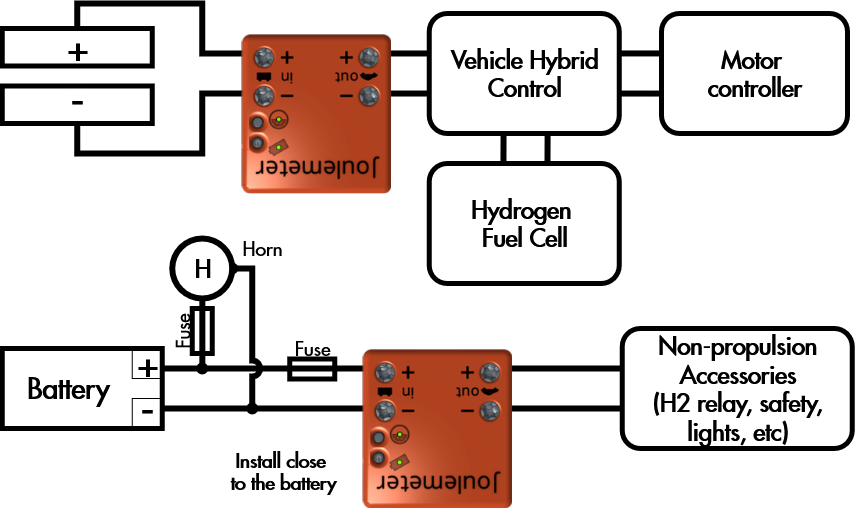
- For ICE vehicles using hybrid technology with a Supercap a second JM will be used to measure Supercap voltage. Install wires from the Supercap positive and negative leads to the JM positive and negative input connections.
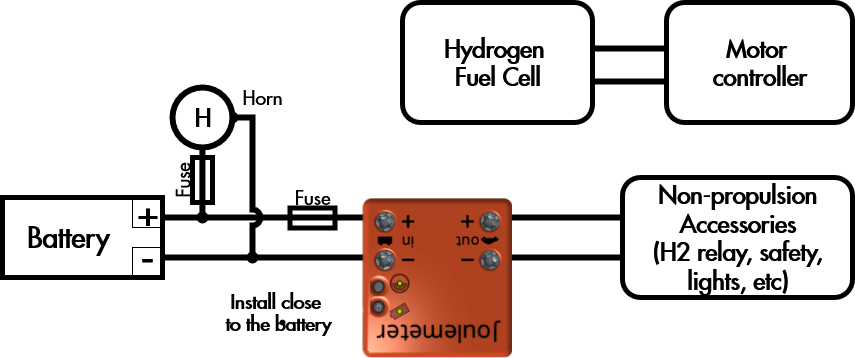
- Teams have a choice of powering the horn either before the JM or through the vehicle electrical system.
- The Joulemeter may be secured with cable ties, Velcro or other suitable method.
- The LEDs of the Joulemeter must be visible when looking into the engine compartment.
- The Joulemeter “On” switch located on the top of the Joulemeter must be accessible.
- As shown in the figure, both the positive and negative battery leads pass through the Joulemeter.
Liquid Flow Meter
- LFM location must be below the fuel injector and the fuel tank, preventing air from flowing through the LFM.
- LFM must be mounted vertically (see drawing in the charging section)
- The LFM may be secured with cable ties or the two ¼” - 20 NC threaded holes on the bottom.
- The fuel line (6 mm internal diameter) must be safely routed (away from hot exhaust and rotating parts/pinch points) to the pre-determined LFM location with one union and two tube adapters, as shown in Figure below, in place of the LFM.
- The LEDs of the Liquid Flow Meter must be visible when looking into the engine compartment.
- The “On” switch located near the electrical connectors must be accessible.
- Remove union from fuel line at location of desired flowmeter location
- Connect fuel line from fuel tank to the inlet of the fuel filter of the flowmeter
- Connect fuel line from the injector to flowmeter outlet
- Open the fuel tank valve slowly to allow fuel to fill the lines all the way to the injector (opening fuel line at injector might be required)
- Reconnect the fuel line at the injector when most of the air is out of the system
- Turn on fuel pressure
- Tilt and shake the LFM gently in order to remove remaining air bubbles. (Shell Eco-marathon representatives will finally evacuate the fuel system at tech inspection to ensure all air is out of the fuel system). Manual Activation of the injector, via the ECU or alternate method, to help clear air pockets may help expedite the inspection process.
- Mount the LFM to the frame with the 1 ¾” spaced ¼”x 20 bolts on the bottom, or zip tie it to the frame
- Check for leaks at all connections!
(null)
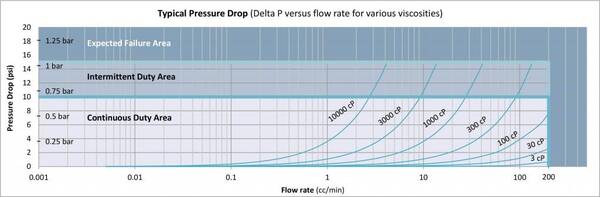
Characteristics
(null)| Weight (LFM only) | 900g (2lbs) |
|---|---|
| Dimensions (LFM only) | Ø 57mm x 105mm tall (Ø 2.3” x 4.125” tall) |
| Assembled Dimensions | Ø 57mm x 130mm tall x 206mm wide (Ø 2.3” x 5.1” tall x 8.1” wide) |
| Flow Range | 0.005 to 200 cc/min |
| Maximum Pressure | 500 bar |
| Ambient Operating Temperature Range | -40° to 80°C |
| Metered Liquid Temperature Range | -40° to 90°C |
| Required Filtration | 7 micron |
| Port Size | SAE ¼” |
| Supply Voltage | 5-26 Vdc |
| Supply Current | 25-30 mA typical |
| Resolution | 6000 pulses/cc |
Cables
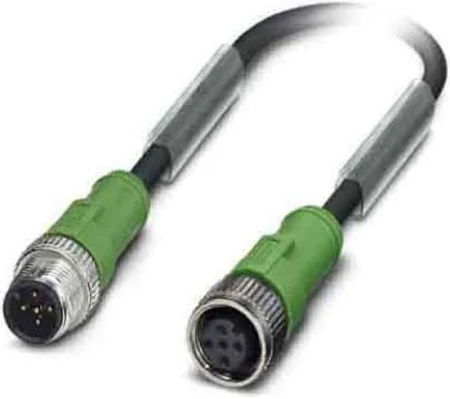
CAN
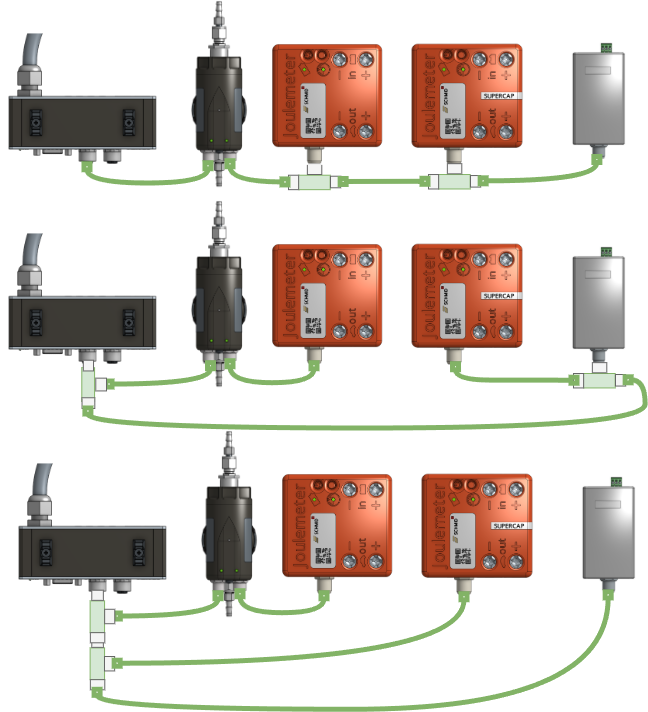
Sensors that have a CAN connector such as Joulemeter [JM], Joulemeter for Supercapacitor, Liquid Flow Meter [LFM] and Switch Box must be connected with the CAN cables and T-Splitters.The order in which the sensors are connected does not matter.
Here are examples of possible CAN bus topologies:
Dos and Don‘ts
| Reduce the area of loops to minimize EMI through induction on the telemetry. | 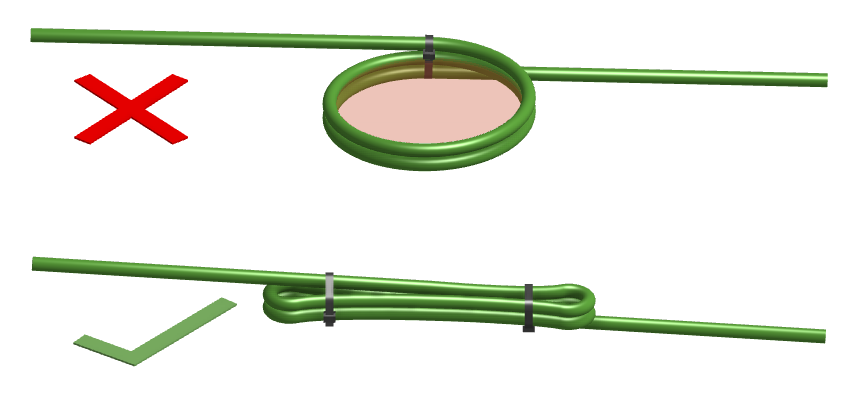 |
|---|---|
| Do not route the telemetry cables in parallel with - power cables or -wires with high frequency signals | 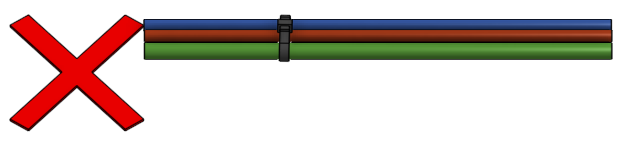 |
| Do not route the telemetry cables close to EMI emitting parts (eg spark plug, starter motor, inverter, valves etc) of the car. | 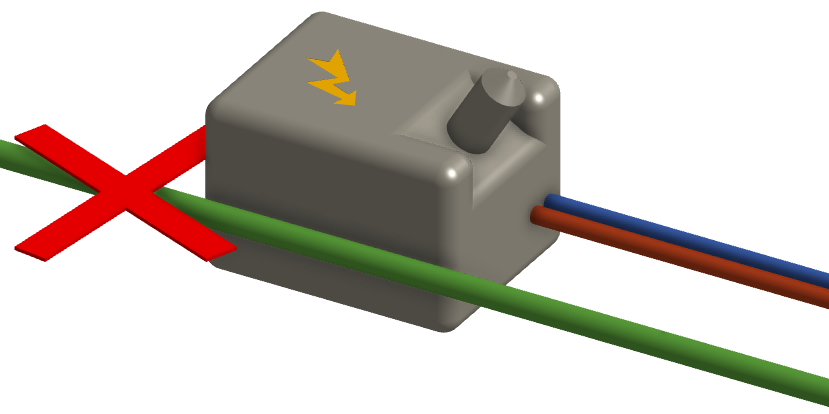 |
| Make sure the whole telemetry system is isolated from your vehicle. The resistance measured between the telemetry system and any part of the vehicle (eg, chassis, negative lead of the battery etc.) must be > 100kΩ. | 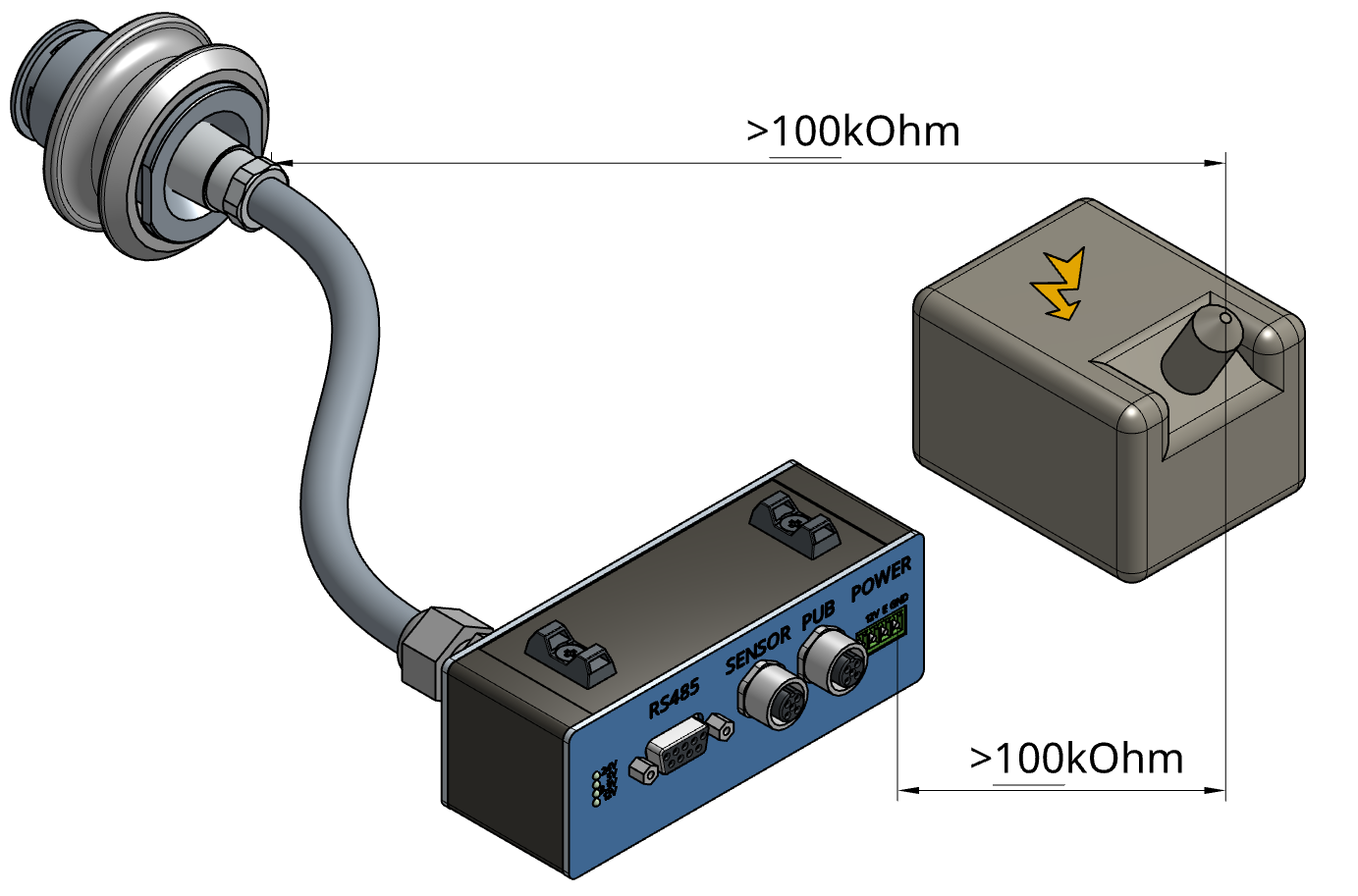 |
Handling
On Board Computer
Startup
Push the Start Button on top of the On Board Computer (OBC) to start. The device is able to startup when the following conditions are met:- The Battery is charged and connected to the Back Bone (BB).
- The OBC is connected to the Back Bone (BB)
The system will show that it is powered on by the green LED on the OBC and the 12V and 3.3V LEDs on the Back Bone (BB).
The power for the sensors will be switched on during startup depending on the configuration.
Troubleshooting
30-60 seconds after the POWER LED is lit, the device checks its own state and the state of the connected sensors. The Back Bone (BB) holds a configuration of the mandatory sensors. If there is a problem with the on board computer or one of the sensors one or more of the LEDs will flash.| LEDs | Interpretation | Action |
|---|---|---|
  | Starting | Wait up to 60s |
 | Connecting | Wait |
  | Ready | Everything is working fine. Only go on track when you see this pattern |
 | Problem with Sensor | Ensure all sensors are connected and turned on |
 | Looking for cloud reception | Contact technical team if this stays unchanged for more than 5 minutes |
 | Battery low | Replace or recharge Battery |
Joulemeter
| LED Measurement |  |
|
|---|---|---|
| ❶ | Device off | |
| «❶» | Error | |
| «❶» | Initializing | |
| ❶ | Measuring | |
| «❶» | Resetting Values | |
| LED Battery |  |
|
| ❷ | Device off | |
| «❷» | low Battery, charging | |
| «❷» | Charging | |
| «❷» | Charging Complete / Operates without battery (Blinks twice followed by pause) | |
| ❷ | Low Battery  Not allowed to go on track Not allowed to go on track |
|
| ❷ | Battery ok for 1 attempt Charge Battery soon |
|
| ❷ | Battery good for at least 2 attempts | |
| On/Off Switch |  |
|
| Practice | Turn the Joulemeter on before going on track. Ask the technical team if your consumption can be retrieved. Turn off after the consumption is read. |
|
| Competition | Do not touch the Joulemeter until your results are retrieved. | |
| Function Button |  |
|
| Used to initiate fast charging. | ||
Liquid Flow Meter
| LED Measurement |  |
|
|---|---|---|
| ❶ | Device off | |
| «❶» | Error | |
| «❶» | Initializing | |
| ❶ | Measuring | |
| «❶» | Resetting Values | |
| LED Battery |  |
|
| ❷ | Device off | |
| «❷» | low Battery, charging | |
| «❷» | Charging | |
| «❷» | Charging Complete / Operates without battery (Blinks twice followed by pause) | |
| ❷ | Low Battery | |
| ❷ | Charge Battery soon | |
| ❷ | Battery well charged | |
| On/Off Switch |  |
|
| Practice | Turn the LFM on before going on track. Ask the technical team if your consumption can be retrieved. Turn off after the consumption is read. |
|
| Competition | Do not touch the Sensor until your results are retrieved. | |
Charging
During the Autonomous Competition the following applies:
- Teams do not need to charge the telemetry system.
- Teams are required to turn off the OBC when not used for within next 15 min.
- Teams are required to turn off the sensors (JM and LFM) when the OBC is turned off.
- The telemetry team replaces low batteries with charged ones if needed.
The teams are responsible for charging the sensors.
A car is not allowed to go on track if the sensor does not show a green or amber battery LED.
step by step
- Connect the charging equipment to the power outlet.
- Connect the charging equipment to the sensor. Make sure not to bend the pins
- Turn on the Sensor (The sensor must be on for the battery to charge.)
- (Ignore for LFM) To initiate charging mode on a Joulemeter press the Function button on the Joulemeter for 5sec.
- The Sensor's battery LED will be blinking as long as charging is in progress.
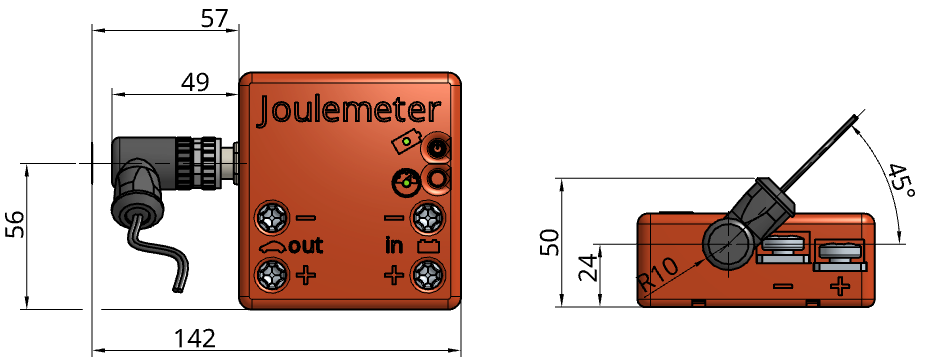
Joulemeter
Recharge the Joulemeter whenever it was on for more than 5min.
A fully charged Battery will last for at least 4 hours.
Charging a fully depleted battery will take about 3+ hours.
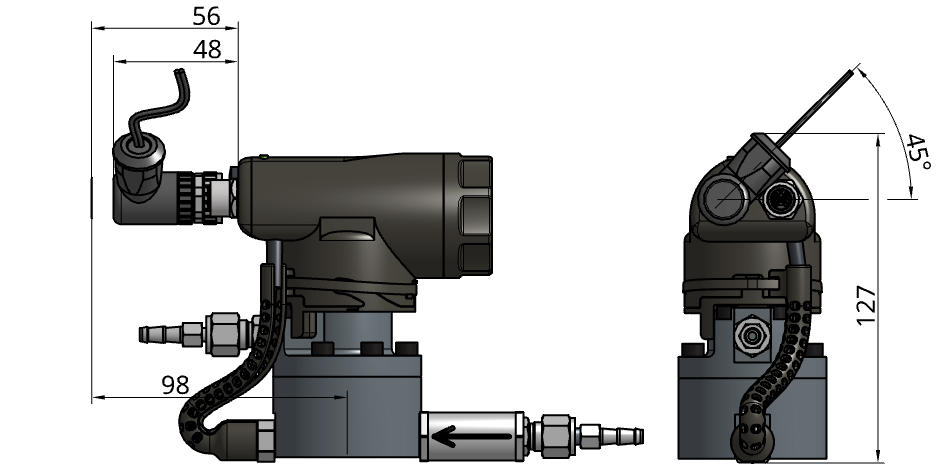
Liquid Flow Meter
Recharge the Liquid Flow Meter whenever it was on for more than 20min.
A fully charged Battery will last for at least 8 hours.
Charging a fully depleted battery will take about 3+ hours.
Returning
Equipment for autonomous competition
Return the following items at the participant hub right after your last attempt in the autonomous competition:
On Board Computer (OBC)
Back Bone (BB)
Holding plate
Belt Pack with Battery
Cables
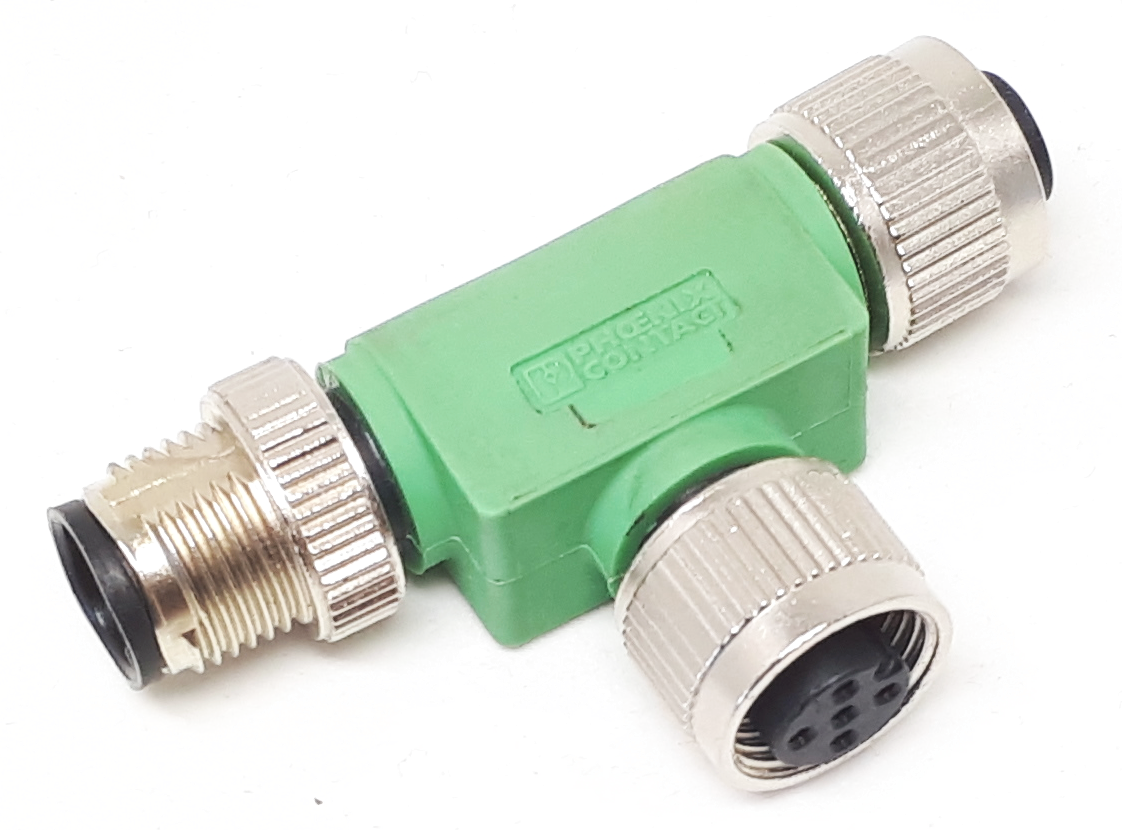
Switch Box
Equipment for autonomous competition and mileage challenge
Return the following items at the participant hub right after your last attempt in mileage challenge:
Joulemeter
Liquid Flow Meter
Charging equipment